🚚 Free Worldwide Shipping on All Orders!Shop Now
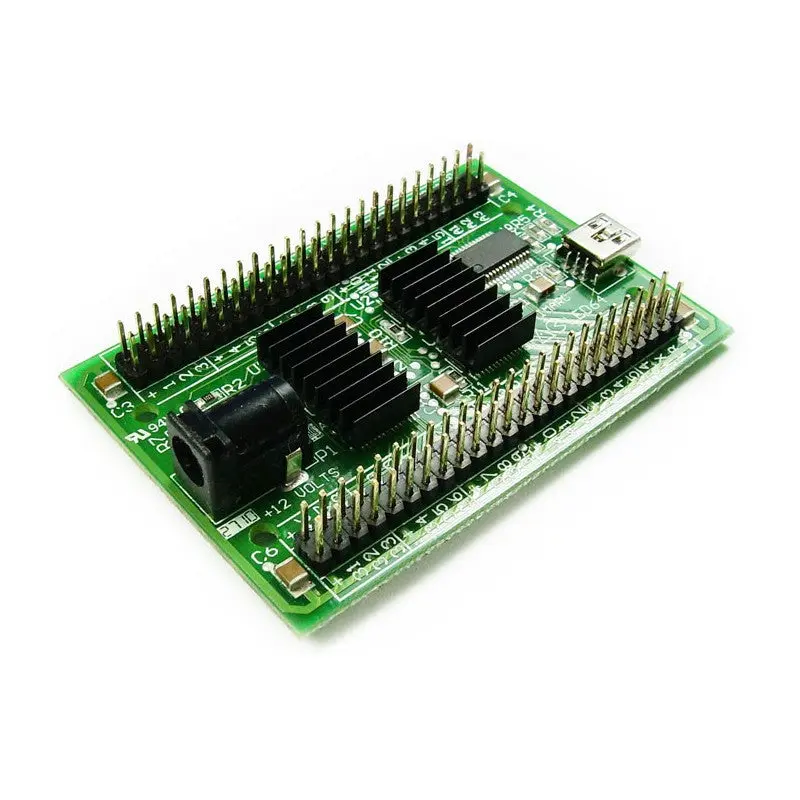
PACLED64
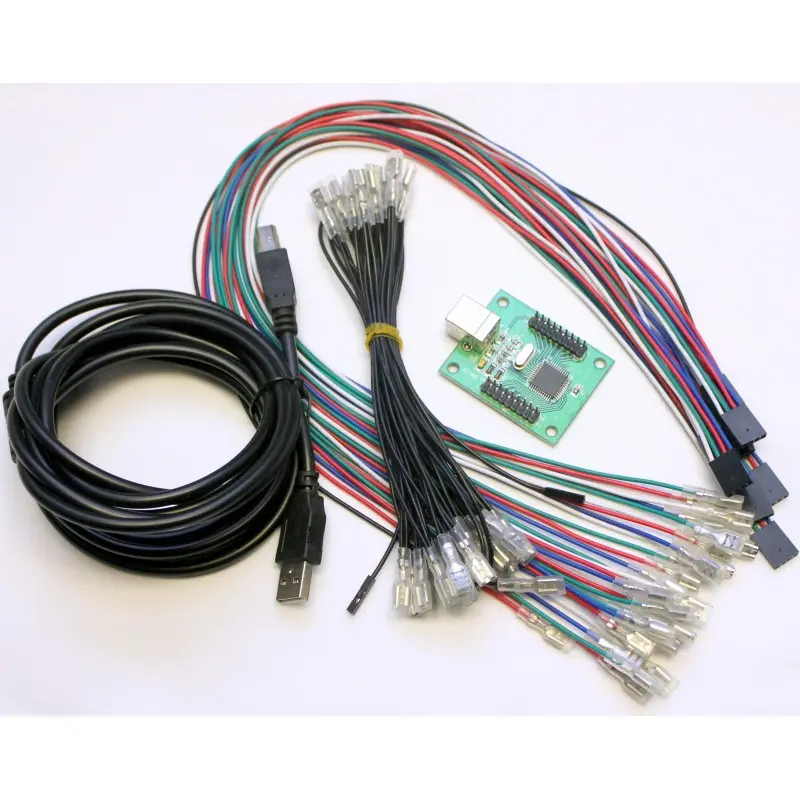
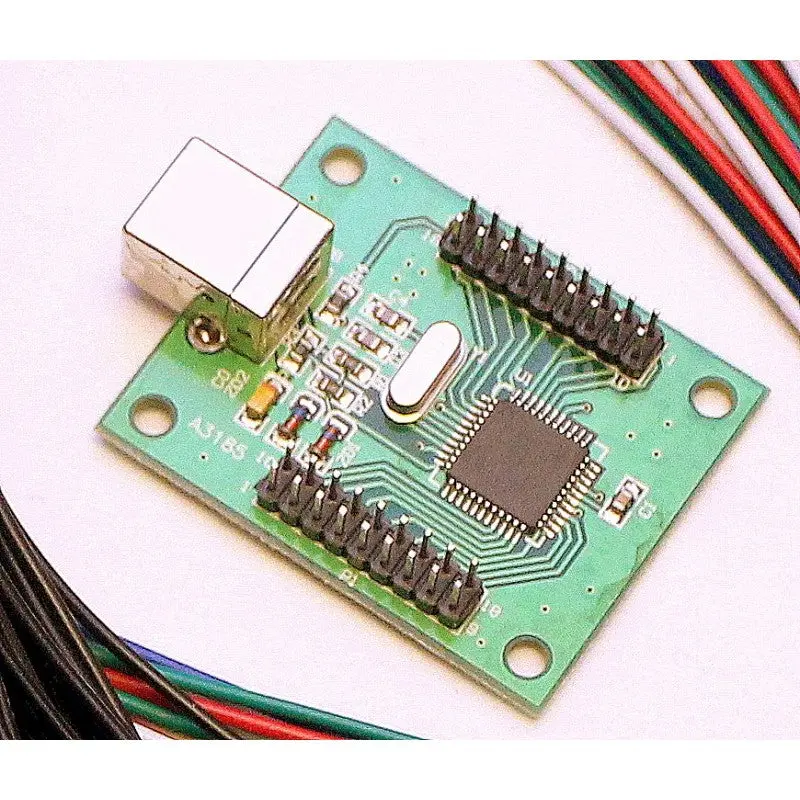
64 Channel LED controller with full brightness control

- 64 LED channels with 256 brightness levels for full RGB color mixing
- NEW FEATURE! Can be set to flash any or all LEDs at one of 3 rates, without PC control.
- Can be used with single-color or RGB LEDs (RGB use 3 channels)
- Constant current negates the need for resistors for each LED
- Can be used with LEDs with inbuilt resistors if required
- 128-command flash storage for “attract-mode” sequences which run immediately on power-up with no PC present
- Supports single-command fades with preset speed on-board. Multiple fades can overlap
- Comes with power cable for plugging into a PC disk drive power connector, and USB cable
- User-assigned IDs allow multiple boards to be connected
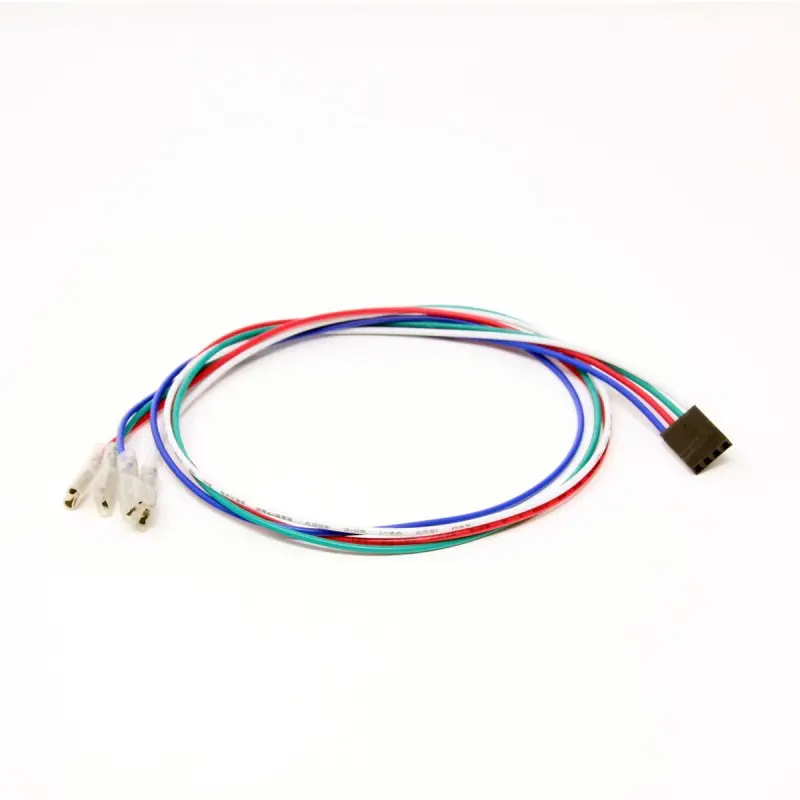
- Extensive software support including test application, Software Development kit for adding support to your own programs and LedBlinky third party software. Compact modular connectivity. Our Ultralux RGB pushbuttons simply plug in.
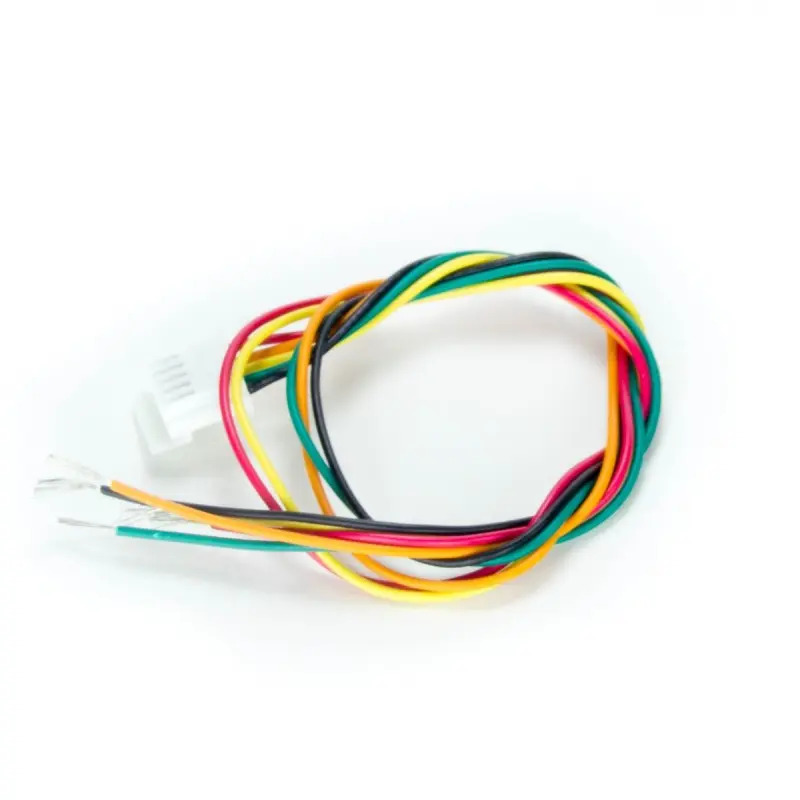
- Other harnesses and connectors available.
Kit Contents:
- PacLED64 Board.
- USB Cable
- Power cable for connection to PC HDD power
Click for Store Section
Installation.
Connecting LEDsEach LED must have its negative connection (cathode) connected to one of the numbered pins 1-64.
Each LED must also have its positive (anode) connection connected to one of the supply pins marked “+”.
**Note it does not matter which of the “+” pins you use as they are connected together on the board.
You can daisy-chain multiple LED + connections and connect to one + pin.
The picture below shows a schematic representation of three LEDs connected to channels 31-33
Also, connect the USB cable to a USB port on the PC.
When you power on the PC, the board will immediately run a script which is pre-loaded in flash. If you have overwritten this with your own script, this will run.
The picture below shows a schematic representation of three LEDs connected to channels 31-33


Also, connect the USB cable to a USB port on the PC.
Power-on
When you power on the PC, the board will immediately run a script which is pre-loaded in flash. If you have overwritten this with your own script, this will run.
The pre-loaded script causes all LEDs to sequence in a fade up/down “wave” from 1 to 64. Scripts are repeated continuously.
When a command is sent by the PC via USB, the script stops running and the command is processed. The script is then not run again until the next power-on.
Using the Supplied application
Download the application here
This app is used for the following:
- Testing LEDs and connections by turning LEDs on/off or setting to a specified brightness.
- Creating simple “attract mode” scripts and storing in the on-board flash ROM
- Assigning an ID to board, when using more than one board
Settings Tab

START/STOP/RUN SCRIPT
When clicked, all subsequent commands will be stored in on-board flash. Next time the board is powered on, the script will run and loop foreveruntil a command is sent from the host via USB.Clicking “Stop Recording” will end the script storage.
CLEAR FLASH
This will cause any stored script to be deleted, so on next power-on, nothing will happen until the host sends commands via USB.FADE TIME
This adjusts the time taken to perform a fade. A fade occurs whenever the state of a LED changes, ie its brightnessis changed or switched off/on. This setting affects all subsequent state changes. This can be stored in scripts.
SCRIPT STEP DELAY
This adjusts the time interval when scripts are being executed. This can be stored in a script. This is not relevantwhen sending direct commands from the host.
Brightness tab

On this screen, the brightness of any of the 64 LEDs can be set. The command is executed immediately by the board,
and if you are storing a script, is also added to the script.
On the latest version (requires latest firmware) the LED(s) can also be set to flash at one of 3 rates on this screen.

On this screen, a group of 8 LEDs is set to a pattern. The LEDs are either fully off or fully on. There are 8 groups of 8 LEDs.
Off/On Tab
On this screen, a group of 8 LEDs is set to a pattern. The LEDs are either fully off or fully on. There are 8 groups of 8 LEDs.
Also, all LEDs can be set to a random pattern.
The command is executed immediately by the board, and if you are storing a script, is also added to the script.
This is a third-party application available in free or paid versions. It is actually a suite of programs enabling configurations to be stored,
Using the LEDBlinky application
This is a third-party application available in free or paid versions. It is actually a suite of programs enabling configurations to be stored,
animations to be created, and has special MAME features.
Note that LEDBlinky supports direct control of the board via USB only. It does not support creation of scripts for storing on the board.
Version 5.0 required.
Note that LEDBlinky supports direct control of the board via USB only. It does not support creation of scripts for storing on the board.
Version 5.0 required.
$25.53
Original: $72.95
-65%PACLED64—
$72.95
$25.53PACLED64
64 Channel LED controller with full brightness control
- 64 LED channels with 256 brightness levels for full RGB color mixing
- NEW FEATURE! Can be set to flash any or all LEDs at one of 3 rates, without PC control.
- Can be used with single-color or RGB LEDs (RGB use 3 channels)
- Constant current negates the need for resistors for each LED
- Can be used with LEDs with inbuilt resistors if required
- 128-command flash storage for “attract-mode” sequences which run immediately on power-up with no PC present
- Supports single-command fades with preset speed on-board. Multiple fades can overlap
- Comes with power cable for plugging into a PC disk drive power connector, and USB cable
- User-assigned IDs allow multiple boards to be connected
- Extensive software support including test application, Software Development kit for adding support to your own programs and LedBlinky third party software. Compact modular connectivity. Our Ultralux RGB pushbuttons simply plug in.
- Other harnesses and connectors available.
Kit Contents:
- PacLED64 Board.
- USB Cable
- Power cable for connection to PC HDD power
Click for Store Section
Installation.
Connecting LEDsEach LED must have its negative connection (cathode) connected to one of the numbered pins 1-64.
Each LED must also have its positive (anode) connection connected to one of the supply pins marked “+”.
**Note it does not matter which of the “+” pins you use as they are connected together on the board.
You can daisy-chain multiple LED + connections and connect to one + pin.
The picture below shows a schematic representation of three LEDs connected to channels 31-33
Also, connect the USB cable to a USB port on the PC.
When you power on the PC, the board will immediately run a script which is pre-loaded in flash. If you have overwritten this with your own script, this will run.
The picture below shows a schematic representation of three LEDs connected to channels 31-33
Also, connect the USB cable to a USB port on the PC.
Power-on
When you power on the PC, the board will immediately run a script which is pre-loaded in flash. If you have overwritten this with your own script, this will run.
The pre-loaded script causes all LEDs to sequence in a fade up/down “wave” from 1 to 64. Scripts are repeated continuously.
When a command is sent by the PC via USB, the script stops running and the command is processed. The script is then not run again until the next power-on.
Using the Supplied application
Download the application here
This app is used for the following:
- Testing LEDs and connections by turning LEDs on/off or setting to a specified brightness.
- Creating simple “attract mode” scripts and storing in the on-board flash ROM
- Assigning an ID to board, when using more than one board
Settings Tab
START/STOP/RUN SCRIPT
When clicked, all subsequent commands will be stored in on-board flash. Next time the board is powered on, the script will run and loop foreveruntil a command is sent from the host via USB.Clicking “Stop Recording” will end the script storage.
CLEAR FLASH
This will cause any stored script to be deleted, so on next power-on, nothing will happen until the host sends commands via USB.FADE TIME
This adjusts the time taken to perform a fade. A fade occurs whenever the state of a LED changes, ie its brightnessis changed or switched off/on. This setting affects all subsequent state changes. This can be stored in scripts.
SCRIPT STEP DELAY
This adjusts the time interval when scripts are being executed. This can be stored in a script. This is not relevantwhen sending direct commands from the host.
Brightness tab
On this screen, the brightness of any of the 64 LEDs can be set. The command is executed immediately by the board,
and if you are storing a script, is also added to the script.
On the latest version (requires latest firmware) the LED(s) can also be set to flash at one of 3 rates on this screen.
On this screen, a group of 8 LEDs is set to a pattern. The LEDs are either fully off or fully on. There are 8 groups of 8 LEDs.
Off/On Tab
On this screen, a group of 8 LEDs is set to a pattern. The LEDs are either fully off or fully on. There are 8 groups of 8 LEDs.
Also, all LEDs can be set to a random pattern.
The command is executed immediately by the board, and if you are storing a script, is also added to the script.
This is a third-party application available in free or paid versions. It is actually a suite of programs enabling configurations to be stored,
Using the LEDBlinky application
This is a third-party application available in free or paid versions. It is actually a suite of programs enabling configurations to be stored,
animations to be created, and has special MAME features.
Note that LEDBlinky supports direct control of the board via USB only. It does not support creation of scripts for storing on the board.
Version 5.0 required.
Note that LEDBlinky supports direct control of the board via USB only. It does not support creation of scripts for storing on the board.
Version 5.0 required.
Product Information
Product Information
Shipping & Returns
Shipping & Returns
Description
64 Channel LED controller with full brightness control
- 64 LED channels with 256 brightness levels for full RGB color mixing
- NEW FEATURE! Can be set to flash any or all LEDs at one of 3 rates, without PC control.
- Can be used with single-color or RGB LEDs (RGB use 3 channels)
- Constant current negates the need for resistors for each LED
- Can be used with LEDs with inbuilt resistors if required
- 128-command flash storage for “attract-mode” sequences which run immediately on power-up with no PC present
- Supports single-command fades with preset speed on-board. Multiple fades can overlap
- Comes with power cable for plugging into a PC disk drive power connector, and USB cable
- User-assigned IDs allow multiple boards to be connected
- Extensive software support including test application, Software Development kit for adding support to your own programs and LedBlinky third party software. Compact modular connectivity. Our Ultralux RGB pushbuttons simply plug in.
- Other harnesses and connectors available.
Kit Contents:
- PacLED64 Board.
- USB Cable
- Power cable for connection to PC HDD power
Click for Store Section
Installation.
Connecting LEDsEach LED must have its negative connection (cathode) connected to one of the numbered pins 1-64.
Each LED must also have its positive (anode) connection connected to one of the supply pins marked “+”.
**Note it does not matter which of the “+” pins you use as they are connected together on the board.
You can daisy-chain multiple LED + connections and connect to one + pin.
The picture below shows a schematic representation of three LEDs connected to channels 31-33
Also, connect the USB cable to a USB port on the PC.
When you power on the PC, the board will immediately run a script which is pre-loaded in flash. If you have overwritten this with your own script, this will run.
The picture below shows a schematic representation of three LEDs connected to channels 31-33
Also, connect the USB cable to a USB port on the PC.
Power-on
When you power on the PC, the board will immediately run a script which is pre-loaded in flash. If you have overwritten this with your own script, this will run.
The pre-loaded script causes all LEDs to sequence in a fade up/down “wave” from 1 to 64. Scripts are repeated continuously.
When a command is sent by the PC via USB, the script stops running and the command is processed. The script is then not run again until the next power-on.
Using the Supplied application
Download the application here
This app is used for the following:
- Testing LEDs and connections by turning LEDs on/off or setting to a specified brightness.
- Creating simple “attract mode” scripts and storing in the on-board flash ROM
- Assigning an ID to board, when using more than one board
Settings Tab
START/STOP/RUN SCRIPT
When clicked, all subsequent commands will be stored in on-board flash. Next time the board is powered on, the script will run and loop foreveruntil a command is sent from the host via USB.Clicking “Stop Recording” will end the script storage.
CLEAR FLASH
This will cause any stored script to be deleted, so on next power-on, nothing will happen until the host sends commands via USB.FADE TIME
This adjusts the time taken to perform a fade. A fade occurs whenever the state of a LED changes, ie its brightnessis changed or switched off/on. This setting affects all subsequent state changes. This can be stored in scripts.
SCRIPT STEP DELAY
This adjusts the time interval when scripts are being executed. This can be stored in a script. This is not relevantwhen sending direct commands from the host.
Brightness tab
On this screen, the brightness of any of the 64 LEDs can be set. The command is executed immediately by the board,
and if you are storing a script, is also added to the script.
On the latest version (requires latest firmware) the LED(s) can also be set to flash at one of 3 rates on this screen.
On this screen, a group of 8 LEDs is set to a pattern. The LEDs are either fully off or fully on. There are 8 groups of 8 LEDs.
Off/On Tab
On this screen, a group of 8 LEDs is set to a pattern. The LEDs are either fully off or fully on. There are 8 groups of 8 LEDs.
Also, all LEDs can be set to a random pattern.
The command is executed immediately by the board, and if you are storing a script, is also added to the script.
This is a third-party application available in free or paid versions. It is actually a suite of programs enabling configurations to be stored,
Using the LEDBlinky application
This is a third-party application available in free or paid versions. It is actually a suite of programs enabling configurations to be stored,
animations to be created, and has special MAME features.
Note that LEDBlinky supports direct control of the board via USB only. It does not support creation of scripts for storing on the board.
Version 5.0 required.
Note that LEDBlinky supports direct control of the board via USB only. It does not support creation of scripts for storing on the board.
Version 5.0 required.