Undamned InfiniKey-CPS1-Q Set by UD Game Tech
Undamned & UD Game Tech is a name that's earned respect through the arcade and fighting game communities with his highly prized consolized CPS2 systems and USB decoders. The old school tournament scene wouldn't be what it is today without them. The InfiniKey-CPS1-Q is no different.
It's a perfect solution to restore the encryption keys stored in Capcom CPS1 Q-Sound games (sometimes called "CPS1.5"). These games have encryption stored in the C-Board and Q-Sound board.
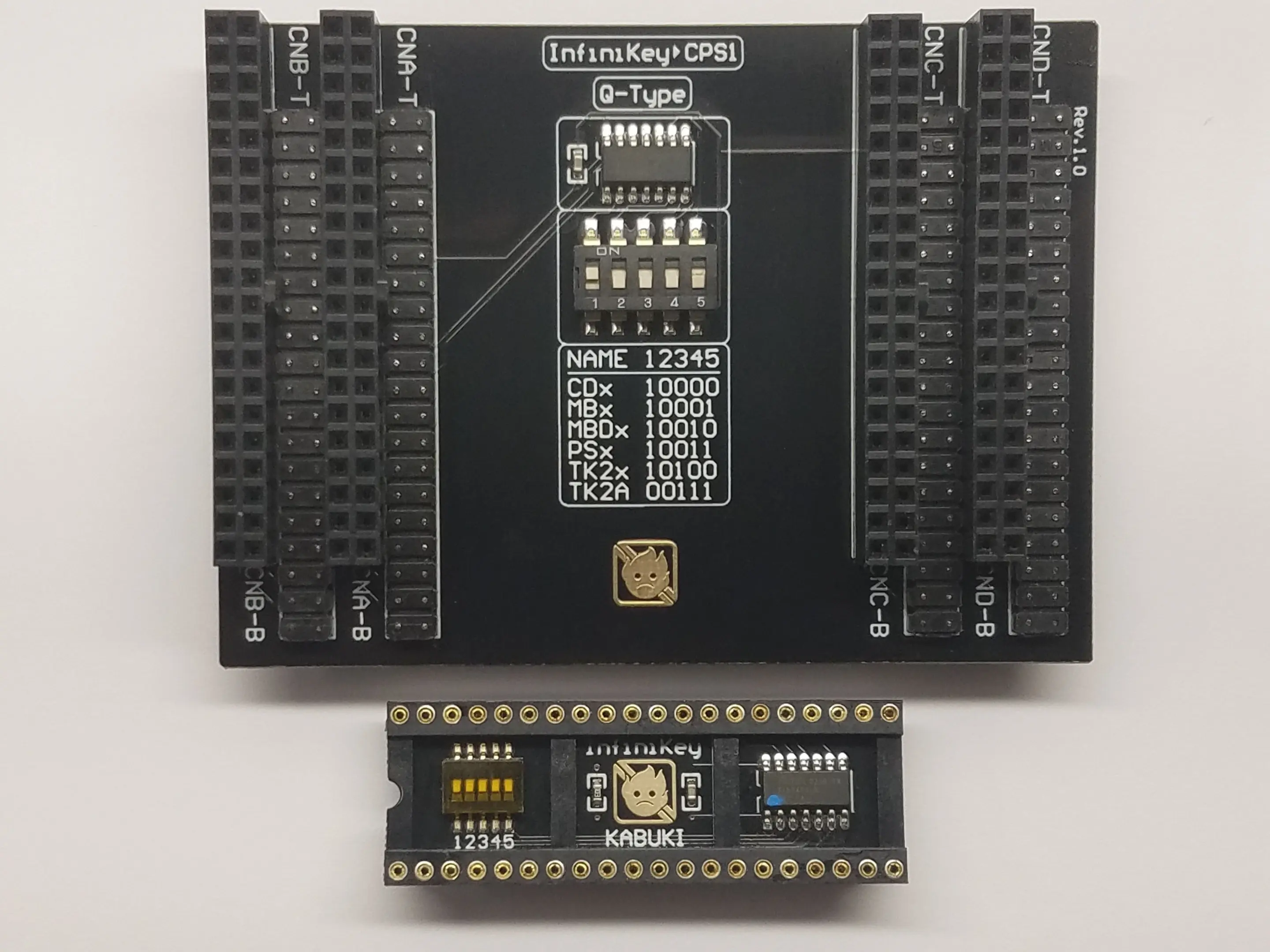
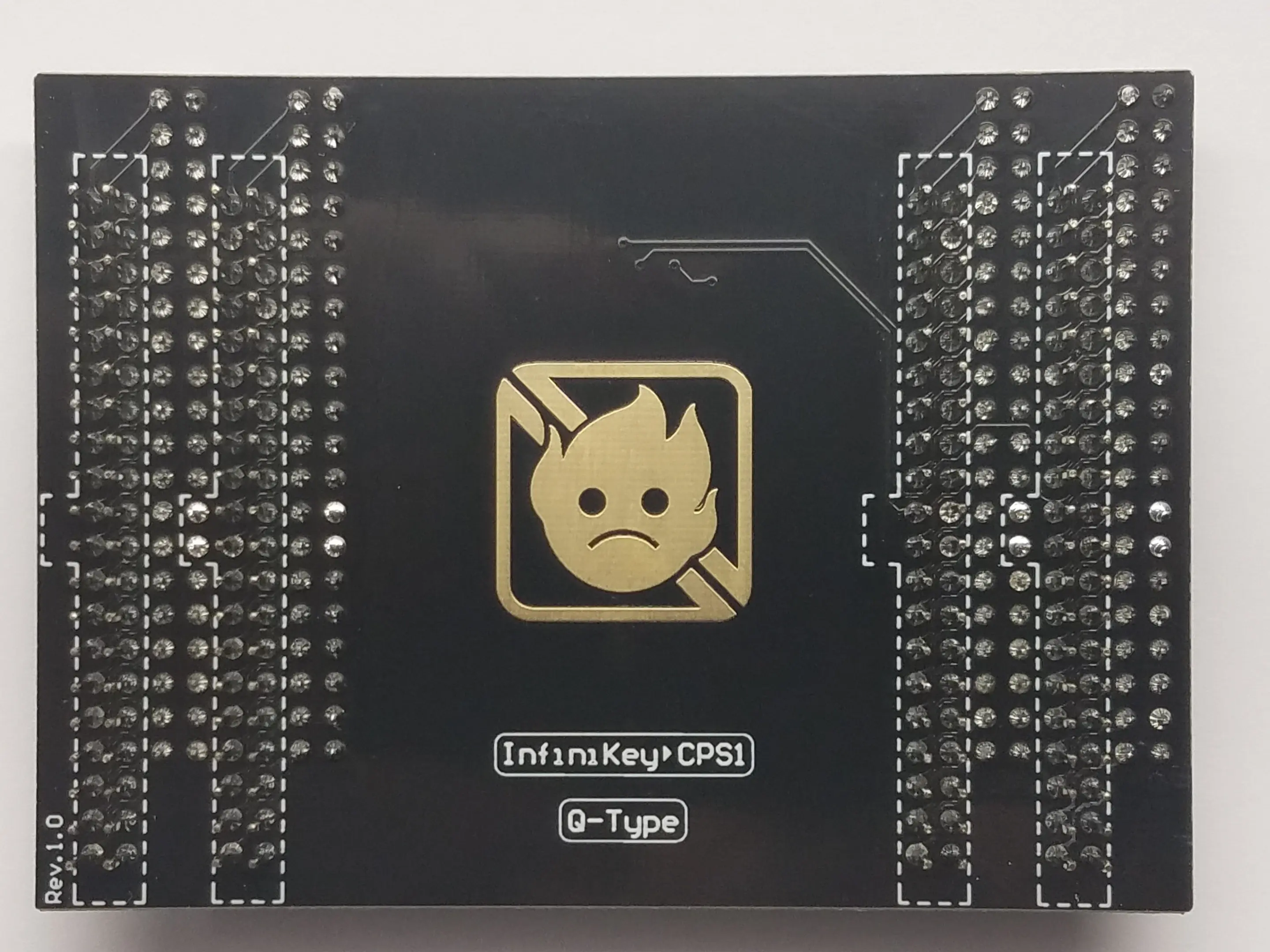
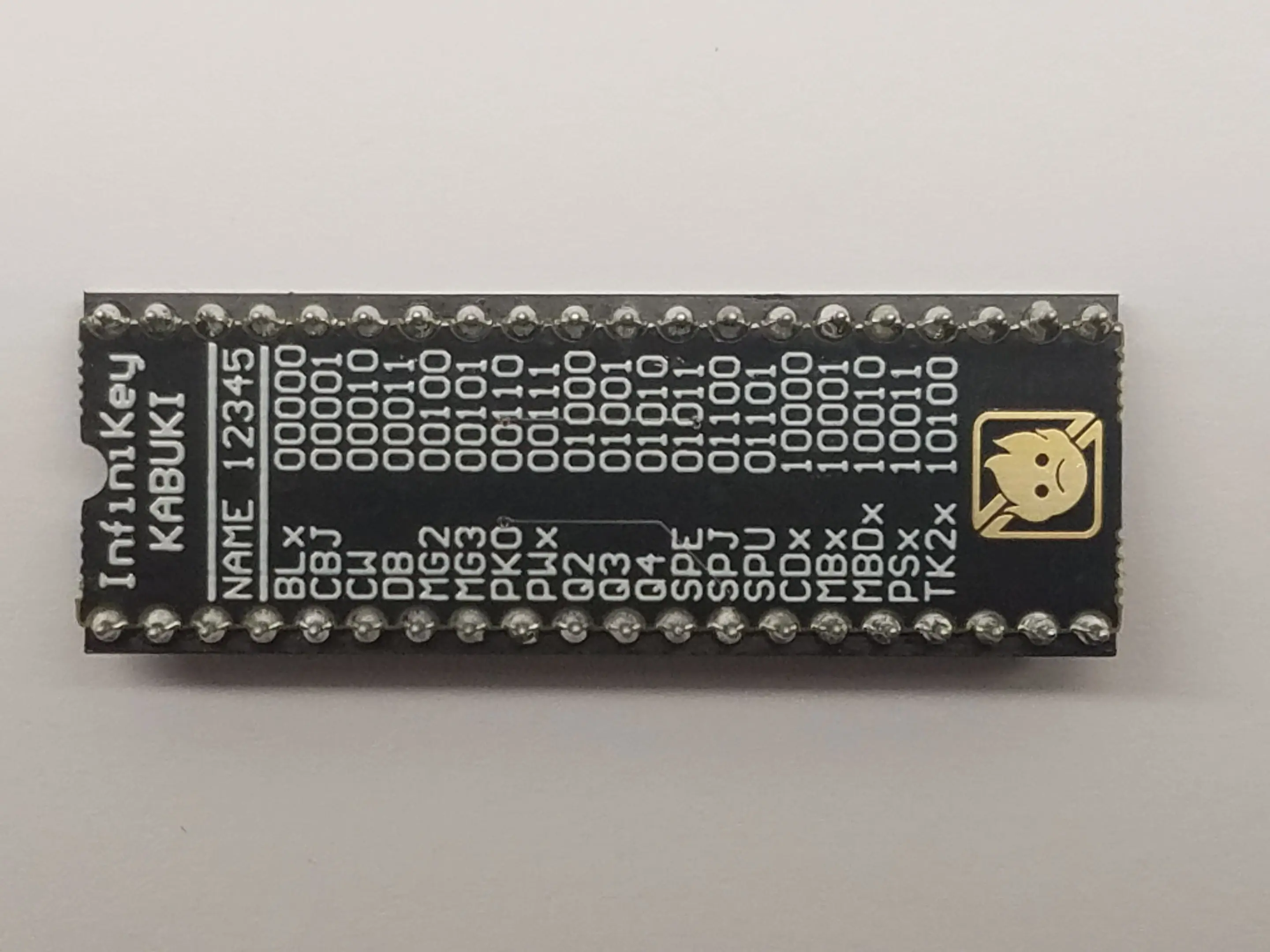
Included in this set are an InfiniKey CPS1 "Q-Type" and an InfiniKey KABUKI
Compatible Games:
Cadillacs and Dinosaurs
Muscle Bomber / Saturday Night Slam Masters
Muscle Bomber Duo
Punisher
Tenchi wo Kurau II / Sangokushi II / Warriors of Fate
Installation:
(C-Board)
1. Check EPROM label and set switches
2. Remove C-Board, remove battery
3. Combine InfiniKey & C-Board
4. Combine InfiniKey & C-Board with B-Board
(Q-Sound Board)
5. Check EPROM label and note switch setting
6. Remove KABUKI chip, remove battery
7. Insert InfiniKey and set switches
8. Insert KABUKI chip into InfiniKey
Video:
Original: $75.00
-65%$75.00
$26.25More Images




Undamned InfiniKey-CPS1-Q Set by UD Game Tech
Undamned & UD Game Tech is a name that's earned respect through the arcade and fighting game communities with his highly prized consolized CPS2 systems and USB decoders. The old school tournament scene wouldn't be what it is today without them. The InfiniKey-CPS1-Q is no different.
It's a perfect solution to restore the encryption keys stored in Capcom CPS1 Q-Sound games (sometimes called "CPS1.5"). These games have encryption stored in the C-Board and Q-Sound board.
Included in this set are an InfiniKey CPS1 "Q-Type" and an InfiniKey KABUKI
Compatible Games:
Cadillacs and Dinosaurs
Muscle Bomber / Saturday Night Slam Masters
Muscle Bomber Duo
Punisher
Tenchi wo Kurau II / Sangokushi II / Warriors of Fate
Installation:
(C-Board)
1. Check EPROM label and set switches
2. Remove C-Board, remove battery
3. Combine InfiniKey & C-Board
4. Combine InfiniKey & C-Board with B-Board
(Q-Sound Board)
5. Check EPROM label and note switch setting
6. Remove KABUKI chip, remove battery
7. Insert InfiniKey and set switches
8. Insert KABUKI chip into InfiniKey
Video:
Product Information
Product Information
Shipping & Returns
Shipping & Returns
Description
Undamned & UD Game Tech is a name that's earned respect through the arcade and fighting game communities with his highly prized consolized CPS2 systems and USB decoders. The old school tournament scene wouldn't be what it is today without them. The InfiniKey-CPS1-Q is no different.
It's a perfect solution to restore the encryption keys stored in Capcom CPS1 Q-Sound games (sometimes called "CPS1.5"). These games have encryption stored in the C-Board and Q-Sound board.
Included in this set are an InfiniKey CPS1 "Q-Type" and an InfiniKey KABUKI
Compatible Games:
Cadillacs and Dinosaurs
Muscle Bomber / Saturday Night Slam Masters
Muscle Bomber Duo
Punisher
Tenchi wo Kurau II / Sangokushi II / Warriors of Fate
Installation:
(C-Board)
1. Check EPROM label and set switches
2. Remove C-Board, remove battery
3. Combine InfiniKey & C-Board
4. Combine InfiniKey & C-Board with B-Board
(Q-Sound Board)
5. Check EPROM label and note switch setting
6. Remove KABUKI chip, remove battery
7. Insert InfiniKey and set switches
8. Insert KABUKI chip into InfiniKey
Video: